Page 1 of 1
Live TV Updated.
Posted: Mon Jun 15, 2026 6:22 pm
by The Chef
Diggz TV Guide Lite and PVR Setup have been updated. Reinstall Diggz Pick in PVR setup, or open Diggz TV Guide lite and click Refresh All Sources.
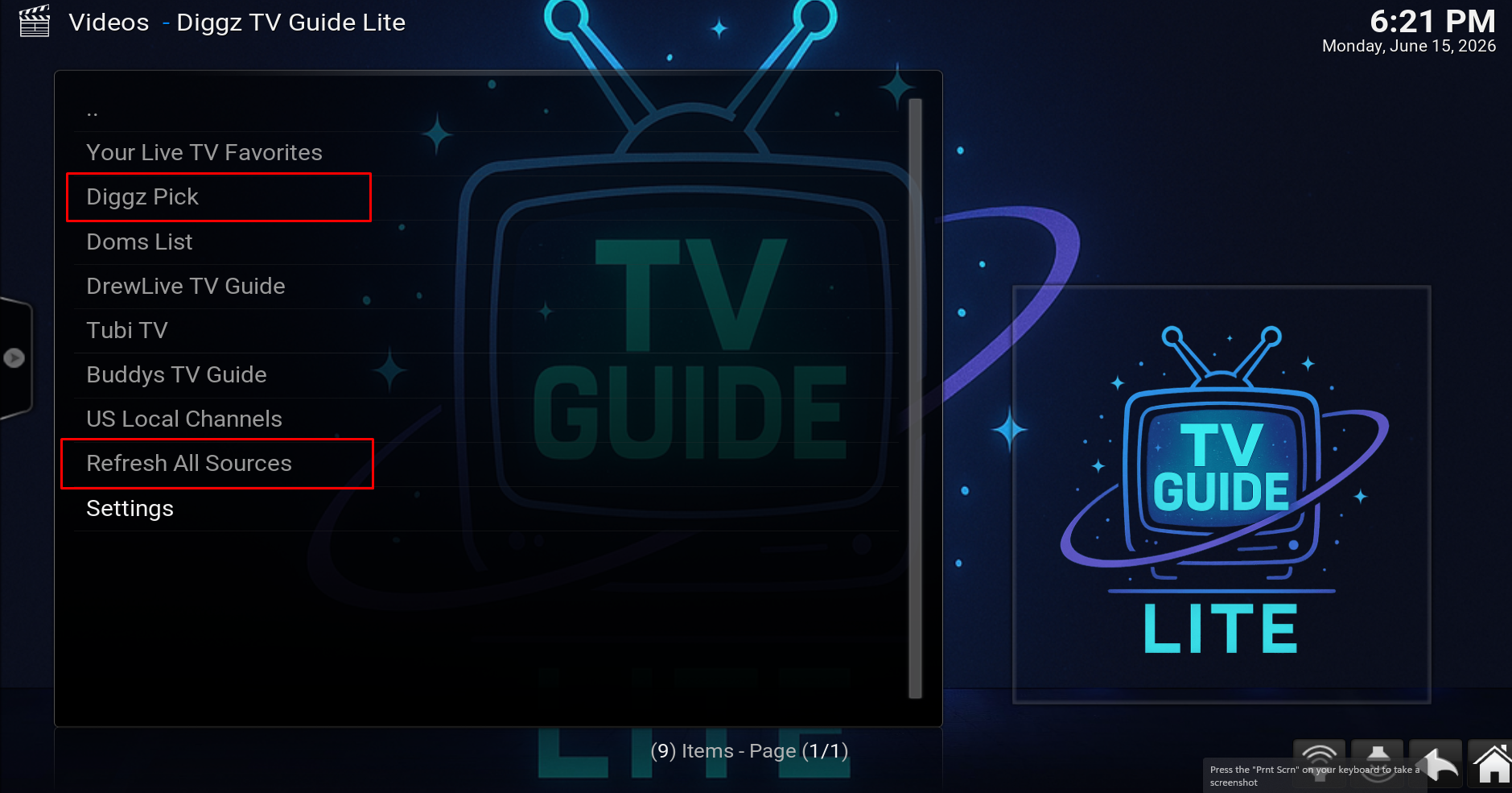
- Screenshot_42.png (1.62 MiB) Viewed 10996 times
Re: Live TV Updated.
Posted: Tue Jun 16, 2026 6:24 am
by The Chef
To update the widget and get rid of the Source not found error, change the widget shortcut..
Re: Live TV Updated.
Posted: Tue Jun 16, 2026 1:11 pm
by MDR
Just a quick question. I have updated and found that live tv is working, however when watching like Fox News, it will kick me out to main screen after 30 seconds. Any fix for that?
Re: Live TV Updated.
Posted: Tue Jun 16, 2026 8:01 pm
by The Chef
Re: Live TV Updated.
Posted: Wed Jun 17, 2026 5:31 am
by MDR
lol. Is there a setting within Kodi that might increase cache? I am running shield pro. Newest AIO build. Xenon debris skin. It is just annoying getting only 30 seconds of watch time before it kicks me to main tv guide screen. I am not trying to be a pain. Your builds have kept me happy for many, many years.
Re: Live TV Updated.
Posted: Wed Jun 17, 2026 7:31 pm
by EzHighway
MDR wrote: Tue Jun 16, 2026 1:11 pm
Just a quick question. I have updated and found that live tv is working, however when watching like Fox News, it will kick me out to main screen after 30 seconds. Any fix for that?
I've been getting 4 minutes or so on average watching Fox News Live, using Firestick 4K max and Nvidia Pro Shield TV before being sent back to TV Guide. I can catch pretty much the Top news within five minutes if I start at the top of the hour.
"Thank you Chef, for all you do".
Re: Live TV Updated.
Posted: Thu Jun 18, 2026 9:33 am
by The Chef
Ok, listen guys, I have no control over the streams. I just try to find the best playlists I could. If certain channels dont work theres nothing I can do to fix that. If you find any better playlists im all ears.
Re: Live TV Updated.
Posted: Thu Jun 18, 2026 12:47 pm
by Bdupont
go t go to MT App Load the 41 servers , it takes a while ,I've been have a little luck with the stated channel everyone is talking about , there is directions in MT app
Re: Live TV Updated.
Posted: Sat Jun 27, 2026 3:13 pm
by biggpapa400
The Crew sports app does not load is there a easy fix on this matter ??